


Trimbox: Easy Email Cleaner
4.3683.00 Reviews
App Specs
- Version
- 2.1.182
- Updated On
- License
- Free
- Downloads
- 500,000+
- Developer
- Trimbox
- Categories
- Productivity
- Platform
- Android
Screenshots

 Analysis by AppCompare
If you're anything like me, your inbox is probably a chaotic mess of newsletters, promotions, and unread emails. Enter Trimbox: Easy Email Cleaner, a nifty little app that's here to save the day by helping you tidy up that digital clutter. Let's dive into how this app can transform your email experience.
The appeal of a first-week cleanup
When I first try an inbox-cleaning tool, I want to see a practical difference without having to reorganize my whole email life. Trimbox is a productivity app from Trimbox, and its focus is easy to understand: it helps identify old messages and mailing lists so I can make decisions about what deserves space in my inbox. That narrow purpose is its best first impression. Instead of asking me to adopt a new way to write or file every email, it aims to make the existing inbox less noisy.
The benefit is most obvious when a mailbox has accumulated years of retail alerts, event announcements, and newsletters that once seemed useful. I would not treat the first cleaning session as a race to delete everything. A safer approach is to start with senders I recognize and messages I know I will not need, then pause before acting on anything connected to bills, travel, accounts, or work. A tidy inbox is useful; losing a message that contains a confirmation or record is not.
First Impressions: A Simple Interface
Upon launching Trimbox: Easy Email Cleaner, I was immediately struck by its clean and straightforward interface. No overwhelming options or confusing menus here—just a simple, intuitive design that gets straight to the point. The app is designed to seamlessly integrate with both Android and iOS email clients, making it super accessible for all users.
How It Works: The Magic of Automation
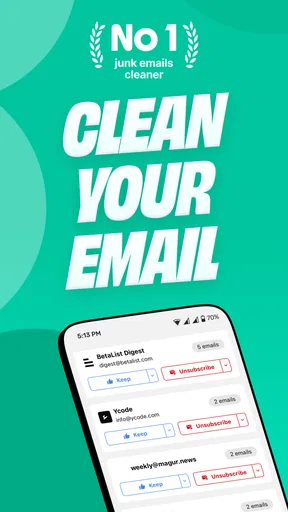
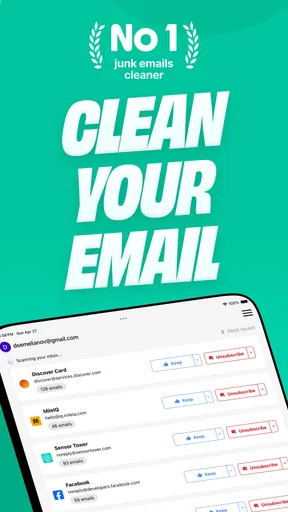
One of the standout features of Trimbox is its ability to automatically identify and sort through your emails. Using advanced algorithms, it categorizes your inbox contents, highlighting newsletters, promotional emails, and other less-important messages. This means you can quickly decide what's worth keeping and what needs to be ditched.
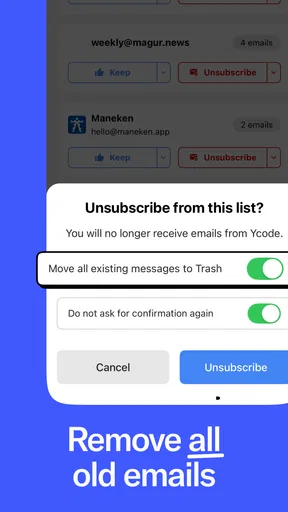
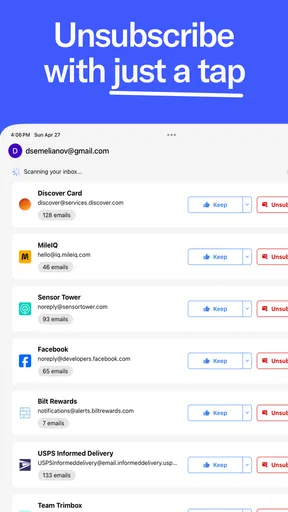
The app also provides a handy unsubscribe feature that lets you effortlessly opt out of unwanted mailing lists with just a tap. Trust me, this feature alone is a game-changer if you're tired of manually searching for those elusive unsubscribe links.
A realistic routine for keeping the inbox useful
The workflow I find most sensible is a short, deliberate review rather than a dramatic one-time purge. Imagine checking email after a busy week: there are shipping notices, a newsletter you still read, several promotions, and a message from a service you barely remember joining. I would use the cleanup to recognize the recurring sources of clutter, unsubscribe only from lists I genuinely no longer want, and leave useful receipts or account messages alone. That turns the session into a choice about future mail as well as a cleanup of old mail.
Worth Reading Before You Choose

EA SPORTS FC Mobile 26 Is a Bigger Football Game, but It Takes Time

Flipboard Shows What News Apps Must Do Beyond the Feed

Switching to Android Auto Means Rethinking Your Driving Routine

Google Calendar Makes a Crowded Week Easier to Manage

Ludo King Makes the Most of the Minutes Between Plans

Baby Panda World Brings Quick Play to Modern Phones, but Its Game Library Feels Busy
A less obvious benefit of that approach is that unsubscribing can matter more than deleting a large batch once. Deletion clears the backlog, but the same sender can refill the inbox tomorrow. Trimming a few persistent sources first reduces the work that comes back, which is where the app’s value can extend beyond the initial satisfying sweep. I would still review each sender carefully: a company may send both unwanted offers and notices I need, so stopping all mail from it may not be the right trade-off.
Customizable Settings: Tailor Your Experience
Customization is key, and Trimbox understands that. The app allows you to set preferences for how often it scans your inbox and how aggressively it categorizes your emails. Whether you want a gentle nudge or a full-on email purge, Trimbox has got you covered.
Additionally, the app supports multiple email accounts, so if you're juggling work and personal emails, you can streamline both inboxes simultaneously. I found this particularly useful, as it saved me from switching back and forth between accounts.
Choosing what to clean, and what to leave alone
Multiple accounts are helpful when personal and work mail both contribute to clutter, but they also make careful boundaries more important. I would begin with the account where unwanted subscriptions are easiest to recognize, rather than applying the same cleanup habits to every mailbox. A personal account full of store promotions is a different job from a work account containing project threads, access notices, and records that may matter later.
For anyone wondering whether this replaces an email app, I would think of it as a companion to the inbox rather than a new home for all correspondence. The usual alternative is to search and delete messages manually, or to use the organization and unsubscribe controls already available in an email service. Those options can be enough if the inbox is already manageable or if you prefer complete control over every search and action. Trimbox is more appealing when identifying mailing-list clutter repeatedly is the part you avoid, while a conventional email client remains the better place for reading, replying, and keeping important conversations organized.
Performance: Speed and Efficiency
In terms of performance, Trimbox is impressively fast. The email sorting process is quick, and the app runs smoothly without any noticeable lags. It's lightweight, ensuring it doesn’t slow down your phone, which is always a plus in my book.
Even with a particularly cluttered inbox, the app maintained its speed and efficiency, making it a reliable tool for keeping my emails under control.
What changes after the novelty wears off
Inbox cleanup has a natural limit: once the old backlog is under control, there may be less dramatic work to do. That does not make the app pointless, but it changes what I would expect from it. The lasting payoff depends on whether unwanted newsletters and promotions keep arriving and whether I am willing to revisit them occasionally. I would use the first session to make a dent, then settle into a lighter maintenance habit instead of expecting the inbox to stay clean without attention.
There is also a useful distinction between reducing volume and improving organization. Removing unwanted mail makes the inbox easier to scan, but it does not automatically create a filing system for messages I need to keep. If my main frustration is finding old work conversations or sorting project mail, folders, labels, and search in a regular email client may solve that better. Trimbox is most compelling when the problem is recurring unwanted mail, not every possible kind of email disorder.
Privacy Concerns: Is Your Data Safe?
Privacy is a top priority for many users, and rightly so. Trimbox reassures users with its robust privacy policy, ensuring that your email data is neither stored nor shared. The app only accesses your emails to perform its cleaning functions and does so without compromising your privacy.
Cost, fit, and the small points of friction
Trimbox is free to install, with in-app purchases ranging from $3.99 to $39.99 per item. I would begin with the free option and decide whether the way I actually use it justifies paying for anything; the existence of purchases does not by itself tell me which paid option suits a particular routine. Its audience rating is Everyone, and the app has a 4.4 average from around 7,300 ratings, with more than 100,000 installs. It was released on December 17, 2023, and version 2.1.157 is listed for devices running Android 7.0 or later.
For a new user, the practical questions are less about a perfect inbox score and more about control: Can I identify the senders I want to stop hearing from? Am I comfortable reviewing cleanup choices before acting? Do I want a dedicated helper, or would I rather handle this directly in my email service? If cautious, manual decisions are central to your routine, the built-in controls in a standard email app may feel more reassuring. If you repeatedly postpone the same unsubscribe chore, a focused cleaner can make that task easier to face.
Wrapping Up: A Must-Have for Email Tidying
All in all, I found Trimbox: Easy Email Cleaner to be an incredibly useful app for anyone looking to declutter their inbox. Its straightforward interface, powerful automation, and commitment to privacy make it a standout choice in the realm of email organization tools.
If you're tired of sifting through endless emails or just want a cleaner inbox with minimal effort, give Trimbox a try. It's a small app that makes a big difference—your future self will thank you!
Who should keep it in their routine?
I would recommend trying it if mailing lists and old promotional messages are a recurring source of frustration, especially when you manage personal and work accounts and want to tackle subscriptions without searching through every message yourself. It is less suited to someone whose inbox is already quiet, who prefers to inspect every message through their usual email client, or who mainly needs stronger tools for archiving and searching conversations. Those are not failures of a cleaner; they are signs that the problem calls for a different kind of tool.
My long-term verdict is that Trimbox earns space when I treat it as a maintenance aid, not a one-time miracle. Its most useful habit is selective: remove the senders that no longer earn attention, preserve mail with real future value, and return when the clutter begins to build again. That keeps the convenience grounded in judgment, and gives the app a clear job even after the novelty of a freshly cleaned inbox has faded.
Pros
- Simple and intuitive interface.
- Quickly identifies unwanted emails.
- Customizable cleaning options.
- Supports multiple email accounts.
- Minimal impact on device performance.
Cons
- Limited free version features.
- Occasional lag with large inboxes.
- Lacks advanced filtering options.
- Requires internet connection.
- No dark mode available.
FAQs for Trimbox: Easy Email Cleaner
What is Trimbox: Easy Email Cleaner used for?
Trimbox is designed to help users efficiently manage and clean their email inboxes by automatically identifying and sorting unwanted emails, spam, and newsletters. Its intuitive interface makes it easy to unsubscribe from mailing lists and organize emails, ensuring a clutter-free inbox and improved productivity.
Is Trimbox safe to use with my email account?
Yes, Trimbox prioritizes user privacy and security. It uses secure protocols to connect to your email account, ensuring that your data is protected. The app requires permission to access your inbox but does not store your emails on external servers, maintaining your confidentiality at all times.
Does Trimbox support multiple email accounts?
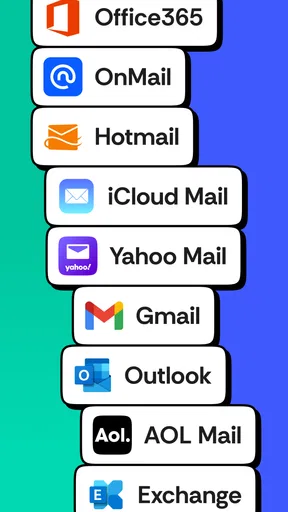
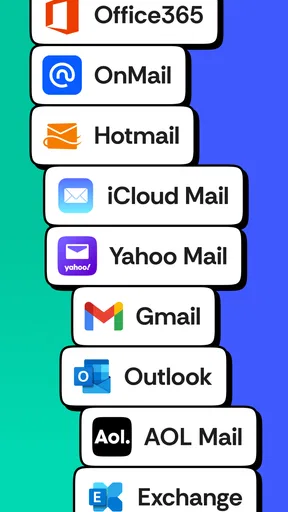
Trimbox supports a wide range of email providers, allowing users to manage multiple accounts within the app. Whether you have Gmail, Yahoo, or Outlook, Trimbox can seamlessly integrate and help organize all your inboxes from a single interface, making it convenient for users with several email addresses.
How easy is it to set up and use Trimbox?
Setting up Trimbox is straightforward. After downloading the app, users are guided through a simple setup process to connect their email accounts. The user-friendly interface makes it easy to navigate, and the app provides helpful tips and tutorials to ensure users can maximize its features with minimal effort.
Does Trimbox offer a free version or trial period?
Trimbox offers a free version with basic features to help users get started with email cleaning. For advanced functionalities, such as automated sorting and premium support, a subscription is required. Users can also take advantage of a trial period to experience the full range of features before committing to a purchase.


